You're viewing an older version of the aµtoPULSE help. For the latest version, visit online help 1.3.

You are here: Maintenance > Peristaltic Tubing Harness Replacement Guide

Peristaltic Tubing Harness Replacement Guide

The Peristaltic Tubing Harness connects the reservoirs and peristaltic pumps to the stations. Replacement is needed if it becomes clogged or is damaged.

Note: This procedure is written for instruments configured for 3 Concentrating Stations and 2 Cleaning Stations. If your instrument is configured for 4 Concentrating Stations and 1 Cleaning Station, please adjust the steps accordingly.

Required Part

Important: Before installing, inspect the new Peristaltic Tubing Harness Kit for any visible damage or defects.


Required Tools


Section 1: Preparation

  1. Retract the pump to drain remaining liquid from the tubing:

    1. In the autoPULSE software, go to the Tools menu and select Manual Control.

      Select Manual Control

    2. Select the STATION #, and expand the Pulse Station Movement tab.

    3. Run the Retract External Buffer Pump in each Station:

      1. For Concentration Station, enter 30 seconds in the provided field and click Run.

        Retract External Buffer Pump on Concentrating Station

      2. For Cleaning Station, enter 30 seconds in the provided fields for the Left and Right pumps, and click Run . Then, set the Drain Waste button to ON.

        Important: Set the Drain Waste button to OFF before switching to the next station.

        Retract External Buffer Pump on Cleaning Station

    4. Repeat steps b-c to retract the liquid on other stations

  2. Power off the instrument and pump box before moving on.

  3. Clear the deck and stations of all adapters, labware, and racks. Remove the waste and buffer reservoirs.

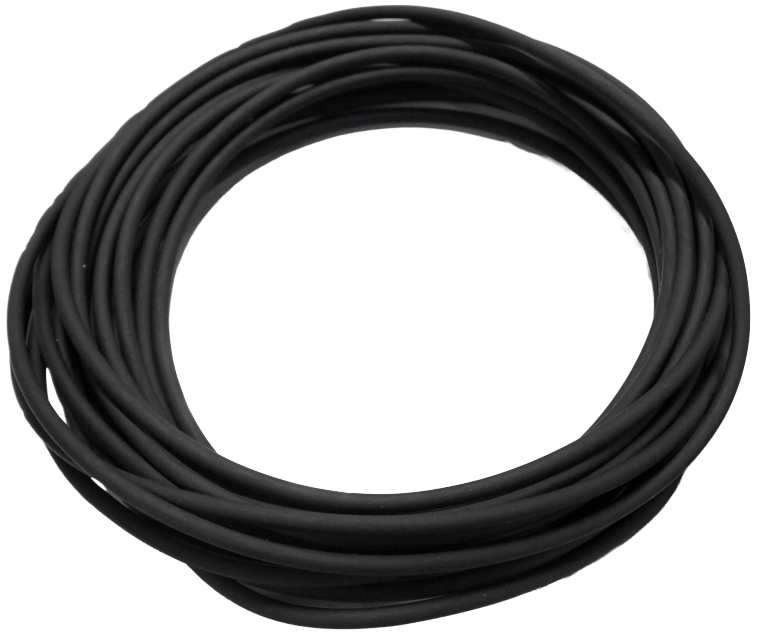
  4. Measure and cut the 25 ft tubing as needed based on the pump and reservoir's position. See Section 3 for detailed instructions.

    Tip: Use the removed Peristaltic Pump Tubing as a measurement guide for the replacement tubing.


Section 2: Removing the Peristaltic Tubing Harness

Note: Retain the tubing in the Waste Drain pumps and cleaning station, as it doesn’t need replacement.

Waste Drain Tubing Waste Tubing in Cleaning Station
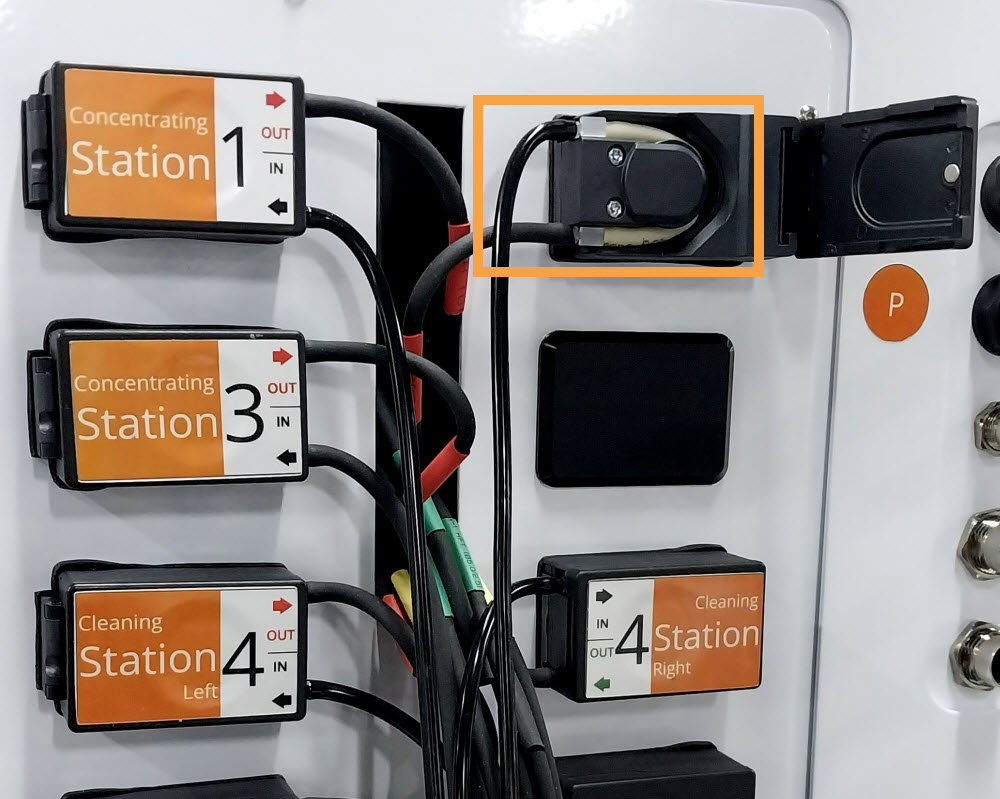
  1. At the Peristaltic Pump Panel:

    Tip: For quicker tubing removal, open the pump door and remove the entire tubing while still connected. Then, proceed to step 2.

    Tubing Set in the Peristaltic Pump

    1. Carefully disconnect tubing from the IN and OUT ports on the Concentration and Cleaning pumps.

      Pulling the Tubing Out

      All Tubings Disconnected

    2. Remove the tubing inside each pump:

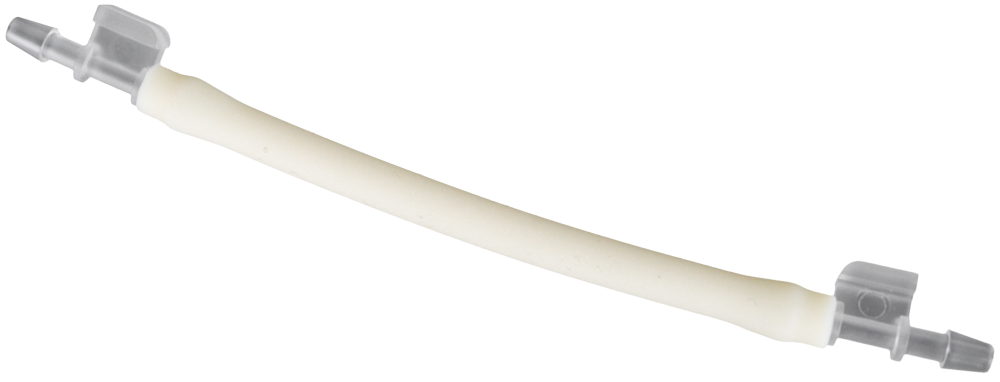
      Open the peristaltic pump door. Disconnect the tube fittings from the ports, then gently remove the tubing from the pump head. Once removed, close the pump door.
  2. Disconnect the tubings accordingly from Stations 1 to 5 as follows:

    1. Remove the waste tubing from the Permeate Port.

      Pulling Off the Waste Tubing

    2. Remove the transfer needle from each station's right and left sides:

      Note: The transfer needles are secured with light tension similar to a standard safety pin.

      Warning! The needle is thin and sharp. Handle carefully to avoid injury or bending.

      Detach the needle from the upper holder.

      Carefully move the needle to the side as shown below.

      Gently pull upward to remove the needle from the holder.

      Disconnect the transfer needle from the tubing.


    3. Remove the tubing set from the slots and path as shown below.

      Tubing Slot and Path

      Removing the Tubing Set

  3. Remove the tubing set from the tube clip, then pull the remaining tubing out through the hole on the right side.

    Removing Tubing from Tube Clip and Hole

    Tip: For easier removal, detach the tube clip with the tubing set. Then, re-attach the clip afterward.

    Detaching the Tube Clip with Tubing Tube Clip is Attached

Section 3: Installing the New Peristaltic Tubing Harness

  1. Insert each color-tagged tubing into the tube clip and pass the ends through the tubing hole. Refer to the image below for correct placement (Station 1-5).

    Inserting the Tubing into the Tube Clip

  2. Install the tubing at the stations:

    Important: Position the tubing properly to keep it clear of the gantry and prevent damage.

    1. Guide the tubing through the tubing path.

    2. Insert each bundle into the holder according to the color tags on the corresponding station.

    3. Route each color-tagged end into the guides and their corresponding parts.

      • Red: Buffer outlet (Left)
      • Yellow: Permeate port
      • Green: Cleaning solution outlet (Right)

      Inserting Tubing into the Corresponding Slots

  3. Install the transfer needle on the Right and Left sides of the station. Refer to the images below.

    Connect the tubing to the needle’s fitting.

    Insert the needle until the angled section rests above the slot.

    Move the needle over and insert it into the slot.

    The proper needle placement:

  4. Insert the Yellow-tagged tubing into the Permeate Port.

    Installing the Waste Tubing

  5. Install the tubing in each peristaltic pump:

    Open the pump door, insert the new tubing into the slot, and pinch it gently to secure it in the slot. Push the fittings until they are securely seated in the slot. Then, close the pump door.
  6. Connect the tubing to each corresponding port as follows.

    Important: Verify all tubings are routed through the hole and connected to the correct pumps according to color tags. Incorrect connections may cause liquids to be pumped into the wrong outlet. Use a flashlight if needed for better visibility.

    1. Route the Yellow-tagged tubing into the waste container.

    2. Plug the Red-tagged tubing into the OUT port of the corresponding pump.

      Plug the Tubing into OUT Ports

    3. Plug the extension tubing into each corresponding IN port.

      Plug the Extension Tubing into IN Ports

  7. Verify all tubings are properly connected and secure to prevent leaking.


Section 4: Testing the Installation

  1. Reinstall the buffer and cleaning reservoirs.

  2. Place the tube and tube adapter on the stations.

  3. Reconnect the power cable and turn on the instrument. Ensure the door is closed and wait for initialization to complete.

  4. Open the software and go to the Manual Control page.

  5. Select the STATION #, and expand the Pulse Station Movement tab. Then, define the following parameters:

    1. Select SLIDER FORWARD to move the station forward and prevent liquid from entering the gap between the station’s top and bottom sections.

      Click SLIDER FORWARD

    2. Enter 5 mL and run the External Buffer Pump (you can use either buffer or cleaning solution). If the pump can stop automatically once reaching 5 mL at the station, testing is successful.

      Pumping 5 mL of Liquid on Concentrating Station

      Pumping 5 mL of Liquid on Cleaning Station

  6. Inspect all tubing and connections for leaks or mismatched destinations. Liquid should flow only from the correct station’s buffer and/or cleaning outlets, with no leaks along the tubing.

    Note: If a timeout error occurs during circulation, repeat steps 5a-b until it clears. If gurgling or no liquid flows during testing, reopen the peristaltic pump and gently reseat the tubing in its slot.

  7. Repeat steps 5-6 for the connections on the remaining stations.


Related Topics:


APOWH-V12R125

FORMULATRIX Trading FZCO

2E 104b, First Floor, 2 East

Dubai Airport Freezone

Dubai, UAE


+1-781-788-0228

support@formulatrix.com

publications@formulatrix.com